

Description
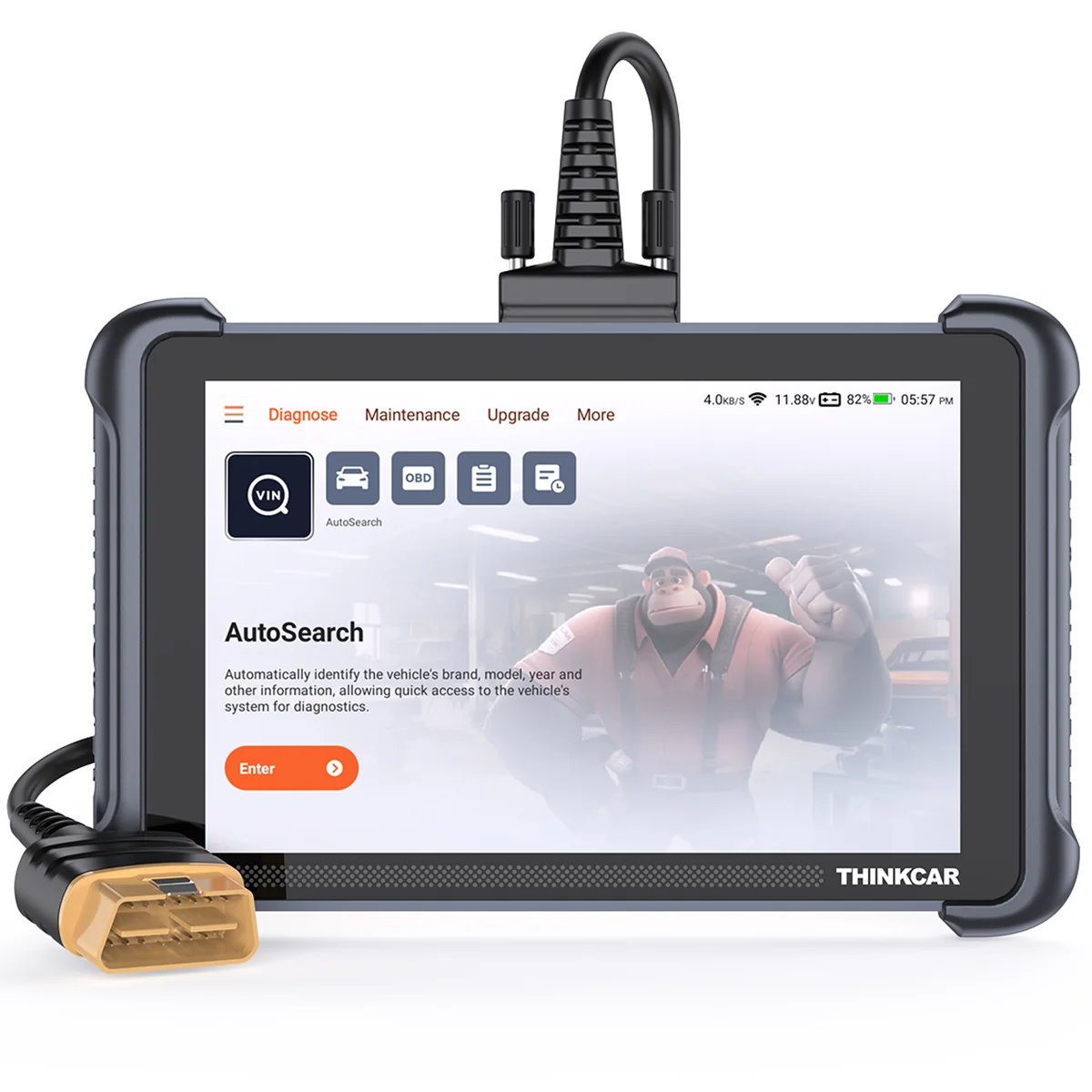
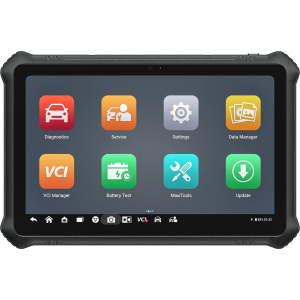
An 8-inch professional diagnostic tablet for OE-level full-system diagnostics, active tests and ECU coding, with Bluetooth wireless connectivity.
Features
- OE-level full-system diagnostics
- Bidirectional control and active tests
- ECU coding
- 35 maintenance functions
- CAN FD and DoIP support
- AutoVIN vehicle identification
- Lifetime free software updates
Diagnostic Functions
Reads version information, reads and clears fault codes, displays data streams, performs coding and runs supported active tests across vehicle systems.
Service Functions
35 maintenance functions, depending on the exact vehicle, model year and control unit:
- AdBlue Reset
- Adaptive Front Lighting
- Airbag Reset
- Air/Fuel Reset
- ABS Bleeding
- Battery Matching
- Gearbox Relearn
- Brake Reset
- Clutch Matching
- Coolant Bleed
- DPF Regeneration
- ECU Reset
- EGR Adaptation
- Electronic Throttle Relearn
- FRM Matching
- Gateway Module Data Calibration
- Gear Learn
- Immobilizer Reset
- Injector Coding
- Language Change
- NOx Sensor Reset
- Odometer
- Oil Maintenance Reset
- Rain/Light Sensor
- Steering Angle Reset
- Seat Calibration
- Start/Stop Reset
- Sunroof Reset
- Air Level Calibration
- TPMS Reset
- Transport Mode
- Turbocharger Matching
- Tyre Reset
- Window Calibration
- Odometer Check
Bidirectional Control
Active tests for supported vehicle systems and components. Availability depends on the vehicle, model year and control unit.
ECU Coding
ECU coding for supported vehicles and control units.
Special Capabilities
- AutoVIN automatic vehicle identification
- CAN FD and DoIP support
Vehicle Support
Diagnostic software for 150+ vehicle brands.
Hardware and Connectivity
- 8-inch touchscreen, 1280 × 800
- 2.0 GHz quad-core processor
- 4 GB RAM and 64 GB storage
- Android 10
- 4150 mAh / 3.8 V battery
- Bluetooth 5.0 wireless connection
- Wi-Fi software updates
Software and Updates
Lifetime free software updates, including new functions, program optimization, error correction and coverage expansion.
Important Information
Diagnostic, service, active-test and coding availability depends on the exact vehicle, model year, region, control unit and active software coverage.
Package Contents
- THINKSCAN 689 diagnostic tablet with diagnostic connection cable
- Protective carrying case
- Power adapter with interchangeable plug heads
- Quick Start Manual
Technical Specifications
| Tool Type | Diagnostic Tablet |
|---|---|
| Vehicle Type | Cars |
| Vehicle brands | 150+ |
| Software Updates | Lifetime Free Updates |
| Display | 8-inch touchscreen, 1280 × 800 |
| Processor | 2.0 GHz quad-core |
| Memory | 4 GB RAM, 64 GB storage |
| Operating System | Android 10 |
| Battery | 4150 mAh / 3.8 V |
| Bluetooth | 5.0 |
| Working voltage | 9–18 V |
| Working current | ≤1.2 A |
| Operating temperature | 0–50 °C |
| Storage temperature | −20–60 °C |
Reviews
There are no reviews yet.